
Yi iot
Kami HKVideo Players & Editors
2.512.42K Reviews
- Version
- 5.1.5_20260710
- Installs
- 10.00M
- Age Rating
- Everyone
Screenshots
Our Review of Yi iot
 Analysis by Appyee
Yi iot is easiest to judge when you think of it as a companion to compatible home cameras rather than as a general video player. I would approach it with one practical goal: get a camera connected, open a live view, and decide whether checking that view fits naturally into your day. That first useful result matters more than exploring every menu at once.
What to expect from a camera-focused app
Although it sits in the video players and editors category, the app’s purpose is monitoring through connected devices, not editing clips or organizing a personal video library. The developer is Kami HK, and the app is free to install. Its description centers on keeping in touch through live video and audio, so it makes most sense for someone who already has a compatible camera or is choosing one that works with this app.
There is a substantial audience for it: Yi iot has passed ten million installs, with an average rating of two and a half from around 120,000 ratings and about 12,000 written reviews. I would take that mixed rating as a reason to set expectations carefully, not as proof that it will or will not work for a particular setup. Camera compatibility, network conditions, and what you expect from monitoring all affect the experience.
The app is free, but it also offers in-app purchases, with listed items ranging from 49 cents to $479.99. That is a broad range, so I would look closely at the purchase details shown in the app before committing to anything. A paid option is not automatically necessary just to decide whether the basic camera connection suits you.
Making the first setup less frustrating
Before beginning, I would put the phone near the camera and make sure the camera is powered and ready to be configured. The most useful setup habit is to work through one camera at a time: connect it, give it a clear name based on its location, and check that its live view opens before moving on. Names such as “front door” or “living room” are easier to recognize later than a row of device numbers.
If the app does not find a camera immediately, I would avoid repeatedly tapping through setup without checking the basics. Confirm that the phone and camera are on the intended network, then follow the in-app prompts again. A setup problem can look like an app problem when the camera is not ready or the connection is unstable. Keeping the first attempt simple makes it easier to spot where things went wrong.
Yi iot is listed for devices running Android 7.0 or later, and its content rating is Everyone. Its current version is 5.0.2_20260115. Those details are useful when checking whether an older phone is a likely fit, but a supported operating-system version alone cannot guarantee that every camera or network will behave the same way.
Getting to the first meaningful success
For a first test, I would open the live view while standing near the camera, then walk to another room and check it again. That simple routine tells you more than leaving a stream open beside the device: you can see whether the view loads when you actually need it and whether your home connection handles the route between rooms. If someone else is home, ask them to move through the camera’s field of view so you can confirm that the framing covers the area you care about.
A useful everyday routine is checking the entryway after leaving for work, or looking in on a pet while you are out. The key is to make the first check intentional: decide what you want to see, open the relevant camera, and close the app when you are done. This keeps monitoring practical instead of turning into constant checking that adds little reassurance.
For families, the app can be useful when a quick video check is more convenient than a call, provided the other person is comfortable being on camera. It is not a replacement for ordinary conversation or an emergency service. I would treat it as a way to look in when appropriate, rather than assuming that a camera view will always be available at the exact moment it is needed.
Understanding the trade-offs
Live video depends on a working connection at both ends, so a delayed picture or a stream that takes time to load is a practical limitation, not something to ignore. If you need an immediate response to a safety issue, do not make a phone app your only plan. For ordinary check-ins, waiting a moment for the image to settle may be acceptable; for time-critical monitoring, a more dependable dedicated setup may be a better choice.
It also helps to decide what you actually need before exploring purchases. If your main goal is an occasional live check, start there and see whether that meets your routine. If you want a longer history of recordings or additional services, read the in-app terms and prices carefully before buying. Do not assume that every camera function or storage option works the same way across devices.
Compared with a standard video-calling app, Yi iot is oriented around a camera at a fixed location rather than a conversation between two people holding phones. Compared with a camera maker’s alternative app, the better choice depends on which one supports your exact device and gives you a reliable live view. I would favor the option that works consistently with the camera you own over a longer feature list that you may never use.
Privacy is part of the setup, too. I would point a camera only at areas where monitoring is appropriate, tell household members what is being viewed, and avoid placing it where guests would reasonably expect privacy. A camera can offer reassurance, but only when everyone affected understands how it is being used.
First Impressions Matter
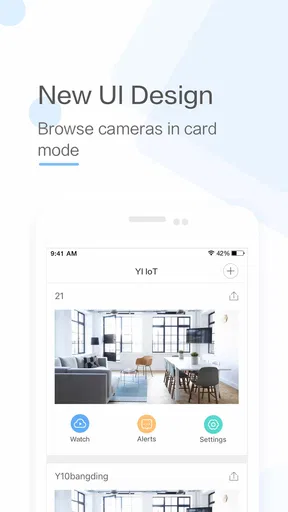
Installing Yi iot was a breeze. It took a couple of clicks and I was in. The first thing you'll notice is its slick, user-friendly interface. It doesn’t overwhelm you with too many options right off the bat, making it super easy for anyone to navigate. For someone like me, who isn’t exactly a tech wizard, this was a huge relief.
Features That Stand Out
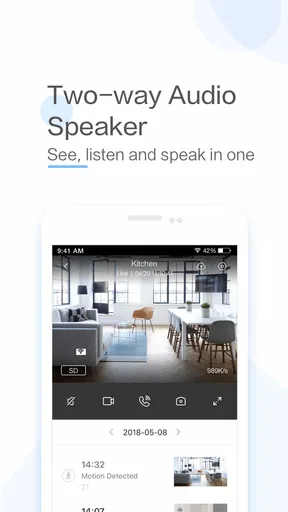
Now, let’s dive into the juicy bits. The app offers real-time video streaming. Yes, you heard that right! You can watch live footage from your security cameras directly on your phone. The clarity of the video is impressive, even in low-light conditions. I tested it at night and was pleasantly surprised by how clear everything was.
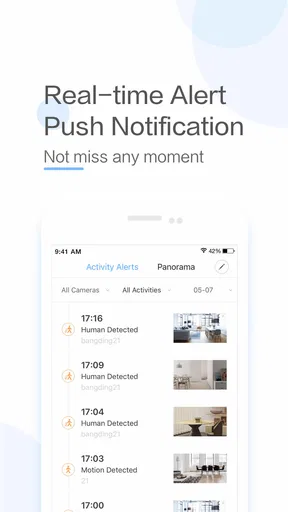
The motion detection feature is another highlight. You get instant alerts whenever movement is detected. It’s like having a sixth sense! I remember being out for dinner and getting a notification. Checked it out and it was just my cat, but hey, better safe than sorry, right?
Oh, and did I mention the two-way audio? It’s perfect for scaring off those would-be intruders or just yelling at your cat to get off the counter. I’ve used it a couple of times and it works like a charm.
What Keeps Me Coming Back
Aside from the main features, the app’s integration with other smart devices is seamless. I’ve got a couple of smart lights and locks, and Yi iot syncs perfectly with them. It’s all about creating a connected home, and this app is at the heart of it.
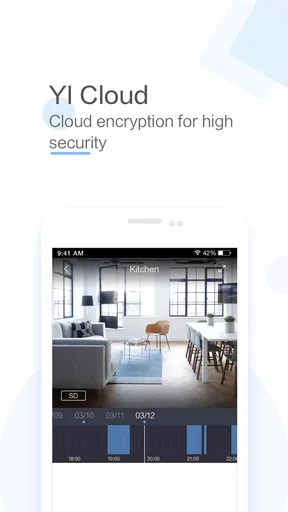
One of my favorite things has to be the cloud storage option. It’s like having a backup of your backup. If you’re worried about running out of space, the cloud has got you covered. Plus, accessing past footage is super easy.
Things to Keep in Mind
Of course, no app is perfect, and Yi iot is no exception. Sometimes the notifications can be a bit too frequent, especially if you live in a busy area. But hey, it's better than missing out on something important. The app does offer customization options, so you can tweak the settings to your liking.
Every now and then, I experienced a slight delay in the live stream. It wasn’t a deal-breaker for me, but it’s something to be aware of if you’re relying on real-time viewing.
Final Thoughts
Overall, Yi iot is a solid app that delivers on its promises. It’s packed with features that enhance home security and gives peace of mind. Whether you’re tech-savvy or not, it’s easy to use and reliable. I’d recommend it to anyone looking to step up their home security game without breaking the bank.
So, if you’re on the fence about trying it out, just go for it. You might just find yourself wondering how you ever lived without it.
Who will get the most from it?
I would put Yi iot on the shortlist for someone who already owns a supported camera and wants a straightforward way to check a room, entryway, or pet from a phone. It is also a reasonable option for a household that values occasional live audio and video more than a complicated monitoring dashboard. Naming each camera by room and testing the view from outside the room are small steps that make daily use less confusing.
I would hesitate to recommend it to someone who has not checked camera compatibility, expects every smart-home brand to connect, or needs dependable professional monitoring. If your main need is talking face-to-face with relatives, a regular video-call app is a more natural fit. If you want to edit footage, this is not the right kind of app despite its broad category label.
A sensible next step after setup
Once the live view works, try one small routine rather than changing every setting at once. For example, check the entryway after you leave, then note whether alerts are useful or noisy during a normal day. If movement notifications become distracting, adjust them gradually and test the result instead of switching everything off. This helps preserve the alerts you care about while reducing interruptions from routine activity.
My overall recommendation is cautious but practical: choose Yi iot when its camera support matches your equipment and you want a phone-based way to check in. The mixed user rating makes it sensible to test your own connection and daily workflow before paying for extras or relying on it for anything urgent. For a compatible setup and modest expectations, that first successful live view can be genuinely useful; for broader smart-home control or guaranteed responsiveness, I would compare alternatives before settling in.
Verdict
Strengths of Yi iot
- User-friendly interface for easy navigation.
- High-quality video streaming with minimal lag.
- Customizable motion detection alerts.
- Supports multiple cameras for broad coverage.
- Secure cloud storage for recorded footage.
Limitations of Yi iot
- Limited free cloud storage options.
- Occasional connectivity issues reported.
- No desktop application available.
- Some features require in-app purchases.
- Setup can be tricky for non-tech users.
Other Releases by Kami HK
View All
Yi Home
Lifestyle2.7
Similar Picks in This Category
View All
Google TV
Google LLC3.9

iTunes
Apple4.7

YouTube
Google LLC3.8

MX Player
Amazon Mobile LLC4.2

CapCut - Video Editor
Bytedance Pte. Ltd.3.5

PLAYit-All in One Video Player
PLAYIT TECHNOLOGY PTE. LTD.4.5
Frequently Asked Questions
What features does the Yi iot app offer?
The Yi iot app provides users with a comprehensive suite of features designed for home security and monitoring. Key features include live video streaming, motion detection alerts, two-way audio communication, and the ability to store footage on the cloud for easy access. The app also supports multiple cameras, allowing users to monitor different areas simultaneously.
Is the Yi iot app compatible with both Android and iOS devices?
Yes, the Yi iot app is available for both Android and iOS platforms. It can be downloaded from the Google Play Store for Android devices and the Apple App Store for iOS devices. Ensure your device meets the minimum system requirements for optimal performance and functionality.
How secure is the Yi iot app in terms of privacy and data protection?
The Yi iot app prioritizes user privacy and employs advanced encryption protocols to protect user data. Video feeds and personal information are secured with end-to-end encryption, ensuring that only authorized users can access their footage. Regular updates also enhance security measures to guard against potential vulnerabilities.
Does the Yi iot app require a subscription for full functionality?
While the Yi iot app offers basic features for free, certain advanced functionalities, such as extended cloud storage and premium customer support, may require a subscription. Users can choose from various subscription plans based on their needs. However, local storage options might be available depending on the specific camera model.
What should I do if I encounter issues with the Yi iot app?
If you experience any issues with the Yi iot app, start by checking for app updates or device compatibility. The app's support section offers troubleshooting guides for common problems. For unresolved issues, contact customer support through the app or the official Yi Technology website, where you can find further assistance.
